
🌟 Top 10 Open Source 3D Modeling Software
Best Free Tools for Design, Animation, and Sculpting
Table of Contents
🔍 Introduction: The World of Free 3D Software
Today I'm going to show you the Top 10 Open Source 3D Modeling Software that you can use for free. Let's start with Sculptris, a virtual copy of 3D modeling software with a primary focus on the concept of modeling clay.
It entered active development in early December 2009. Users can pull, push, pinch, and twist virtual clay. It is geared toward character sculpting and organic models. If you are new to the world of digital sculpting, Sculptris is the ideal ground on which to get started.
However, if you are an experienced artist, you can use the Brush which is a standard in the industry for creating details on characters. It's easy to learn even for someone with no experience in digital art, yet robust enough for creating base models that can be refined in other applications.
#1. ZBrush (Pixologic)

ZBrush allows 3D Meshes to be imported into the program for further detailing, generating normal and displacement maps. In late July 2010, Sculptris inventor Thomas Peterson joined the Pixologic team.
They are the makers of ZBrush who have taken over Sculptris' development. Thomas left Pixologic a while before March 2014. ZBrush remains the industry standard for high-detail digital sculpting, widely used in movies and game development.
#2. Blender

Blender is a Free and Open-source 3D computer graphics software toolset. It is used for creating animated films, visual effects art, 3D printed models, interactive 3D applications, and video games.
Blender's Features Include:
- 3D Modeling, UV Unwrapping, and Texturing.
- Raster Graphics Editing, Rigging, and Skinning.
- Fluid and Smoke Simulations, Particle Simulations.
- Internal Render Engine with Scanline Rendering and Indirect Lighting.
- A Path Tracer Render Engine called Cycles which can take advantage of the GPU for rendering.
- Integration with external render engines through plugins.
- Python Scripting for creation and prototyping game logic.
- Camera and Object Tracking tools.
#3. SketchUp
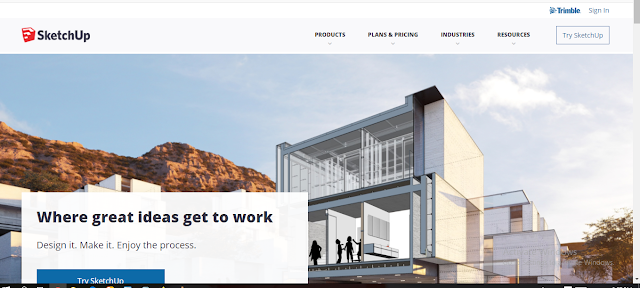
SketchUp is a computer-aided design solution best known for its ease of use. Using the application is as simple as drawing with a pen and paper. It utilizes the direct Push and Pull technology which ensures users get up to speed quickly.
Its user interface imitates a dead simple UI, but it's well crafted to rival the most powerful 3D modeling CAD software around. Maneuvering around this program is pretty easy thanks to the highly customizable palettes.
The program gives you the freedom to add, remove, or rearrange palettes to appear the way you want. Its large icons replace the features list of most software, thereby allowing the user to easily find commands. This makes it an ideal application for beginners looking to plan, visualize, and communicate future construction projects.
#4. Daz 3D Studio

Daz Studio is an open-source 3D modeling software application developed and offered for free by Daz 3D. It is a 3D scene creation and rendering application used to produce images as well as video renders.
Rendering can be done by leveraging either the 3Delight Render Engine or the Iray Render Engine, both of which ship for free along with Daz Studio. The studio also supports the import/export of various file formats for 3D objects and animation to allow for the use of 3D content within Daz Studio as well as to get content out for use in other 3D applications.
Daz Studio is available for free, but registration is required. Version 1 was released in Fall 2005. In February 2012, Daz 3D announced it would be giving away Daz Studio Pro for free. In 2017, Daz 3D also began offering Hexagon and Daz Studio together for free, adding 3D modeling capabilities.
#5. Wings 3D

Wings 3D is a free and open-source 3D modeling subdivision modeler. It was named after the Winged Edge Data Structure it uses internally to store coordinate and adjacency data.
It is commonly referred to by its users simply as "Wings." Wings 3D can be used to model and texture low and mid-range polygon models. Wings does not support animation and has only basic OpenGL rendering facilities, although it can export to external rendering software such as POV-Ray and YafaRay.
Wings 3D is often used in combination with other software whereby models made in Wings are exported to applications more specialized in rendering and animation, such as Blender or 3ds Max.
#6. K-3D

K-3D is a free modeling and animation software. It combines flexible plugins with a visualization pipeline architecture, making K-3D a versatile tool.
It features procedural and parametric workflows. Properties can be adjusted interactively, and results appear immediately. K-3D operates on all big operating systems and, of course, it is free open-source software for designers.
#7. Fusion 360

Fusion 360 is a CAD program that is free for students, makers, and small companies. It comes with a very powerful CAM suite.
Fusion is very powerful when it comes to creating complicated mechanical pieces. It is very hard to create mechanical and industrial designs in 3D commercial applications like 3ds Max or Maya. Compared to Fusion, tools are easier to use and it has a fast and efficient workflow.
Fusion 360 is an important utility software tool that can do everything in one place. You can create 3D designs, cooperate with metadata, create tool paths, and run simulations to validate your designs. It has a low competitive price, in fact free for hobbyists and enthusiasts.
#8. BricsCAD Shape

BricsCAD Shape is a new Windows CAD program from Bricsys that is meant for 3D modeling. Its inspiration was SketchUp from Trimble, and its purpose is to do conceptual design for input into BricsCAD BIM software.
However, for students, casual users, and architects doing pre-design, it stands alone like its competitors. BricsCAD Shape attempts to make it easy for designers to generate their ideas in 3D, offering a library of common architectural components and materials alongside straightforward shape generation tools.
#9. Tinkercad

Tinkercad is a free online collection of software tools that help people create simple 3D models in a simple and fast manner. It was founded by Kai Beckman and Michael Mullen in 2011.
It brought the first browser-based 3D design platform to the masses. Tinkercad is the largest community of 3D design and 3D printing enthusiasts of its kind. Its uniqueness has so far attracted over 7 million users. In June 2013, Tinkercad became a part of Autodesk's family of apps. The active community has created over 15 million designs since the beginning of Tinkercad.
#10. Mandelbulb 3D

Mandelbulb 3D is a free application created for 3D fractal imaging. Developed by Jesse and a group of Fractal Forums contributors, based on Daniel White and Paul Millender's Mandelbulb work.
Mandelbulb 3D formulates dozens of non-linear equations into an amazing range of fractal objects. The 3D rendering environment includes lighting, color, specularity, depth-of-field, shadow, and glow effects, allowing the user fine control over the imaging effects.
Mandelbulb 3D has a lot of devoted users worldwide with online communities on DeviantArt and Facebook where artists share their creations as well as fractal formulas and software tips. The software is more user-friendly than most 3D fractal applications.
🏆 Final Conclusion: Which Software is Best for You?
Choosing the right open-source 3D modeling software depends entirely on your specific needs. If you are into digital sculpting, nothing beats the power of ZBrush (or Sculptris). For architects and interior designers looking for speed, SketchUp and BricsCAD Shape are unbeatable choices.
However, if you want an all-in-one powerhouse for animation, VFX, and game development, Blender is the undisputed king of free software. For beginners just starting their journey, Tinkercad offers the easiest learning curve.
We hope this list helps you find the perfect tool for your creative journey. Download them, experiment, and start creating amazing 3D models today! Which one will you try first? Let us know in the comments below.
🚀 Top 10 Open Source 3D Software Quick Download Links
Click buttons to visit official sites.
💡 Frequently Asked Questions (FAQs)
❓ Is ZBrush free to use?
- ✔️ ZBrush is a paid tool, but Sculptris (its predecessor) was free. ZBrush offers a free version called ZBrushCoreMini for beginners.
❓ What is the best software for fractal 3D modeling?
- ✔️ Mandelbulb 3D is the best free open-source software specifically designed for 3D fractal imaging and rendering.
❓ Can I use Fusion 360 for free?
- ✔️ Yes, Fusion 360 offers a free personal use license for students, hobbyists, and small businesses generating less than a certain revenue.
📞 Contact Cad Solution Soft
For more 3D Modeling tips, software tutorials, and resources:
📌 Cad Solution Soft
Website: www.cadsolutionsoft.com
📧 Email: info@cadsolutionsoft.com