
Top 10 Free 3D Modeling Software in 2026
Best Tools for 3D Design, CAD Modeling, Animation, Sculpting and 3D Printing
Looking for the best free 3D modeling software in 2026? Whether you are a beginner, student, architect, mechanical designer, 3D artist or product development professional, choosing the right 3D design software can make a major difference to your workflow.
Some applications are designed for professional 3D animation and visual effects, while others focus on mechanical CAD design, architectural visualization, digital sculpting or 3D printing.
There are many free 3D software tools available today. However, not every free application is open source, and some products offer free versions with restrictions on commercial use or advanced features. This guide explains the differences so you can select software according to your actual requirements.
📑 Table of Contents
- Introduction to Free 3D Modeling Software
- ZBrush – Professional Digital Sculpting
- Blender – Free and Open Source 3D Software
- SketchUp – Easy 3D Architectural Design
- Daz Studio – 3D Characters and Rendering
- Wings 3D – Open Source Polygon Modeler
- K-3D – 3D Modeling and Animation
- Autodesk Fusion – Mechanical CAD and Product Design
- BricsCAD Shape – Product Status and Alternatives
- Tinkercad – Beginner-Friendly Online 3D Design
- Mandelbulb 3D – Fractal Modeling
- 3D Software Comparison Table
- Official Download Links
- Frequently Asked Questions
- Final Conclusion
Introduction: The World of Free 3D Modeling Software
3D modeling software is used to create three-dimensional objects, product designs, architectural models, characters, animation scenes, mechanical components and digital environments.
These tools are used in industries such as engineering, manufacturing, construction, gaming, film production, education and product visualization.
For beginners, a free 3D modeling application can be a practical way to learn the fundamentals of geometry, materials, lighting, rendering and design. Professional users may also use free tools for concept development, visualization, 3D printing and specific production tasks.
One important point: free software and open-source software are not the same thing. Open-source applications make their source code available under a licence that permits users to study, modify and redistribute it under defined conditions.
Free commercial software may be available without payment but can have restrictions, such as personal-use-only licensing, limited features or paid upgrades.
For example, Blender and Wings 3D are open-source applications. SketchUp Free and Autodesk Fusion Personal Use are free offerings with usage conditions.
ZBrush is a professional paid sculpting product. The following list includes both open-source tools and useful free or free-to-start alternatives.
#1. ZBrush – Professional Digital Sculpting Software

ZBrush is a professional digital sculpting and 3D detailing application widely used by character artists, game developers, visual effects studios and film production teams.
It is designed for creating highly detailed organic models, creatures, characters, props and digital sculptures.
ZBrush uses a sculpting workflow that allows artists to work with millions of polygons and add fine surface details. Artists can shape virtual clay using brushes that support operations such as pulling, pushing, smoothing, pinching, carving and detailing.
It is especially useful when a model requires realistic skin textures, wrinkles, fabric details or complex organic forms.
ZBrush can also import 3D meshes for further detailing and can generate maps used in other 3D production applications. These workflows make it valuable for high-resolution character modeling and game asset creation.
Main Features of ZBrush
- Advanced digital sculpting brushes for organic 3D modeling.
- High-resolution mesh detailing and surface refinement.
- Tools for character modeling, creature design and concept sculpting.
- Polypaint workflows for painting directly on 3D models.
- Normal and displacement map workflows for use in other applications.
- Useful for film production, game development and 3D character design.
Is ZBrush Free?
ZBrush is a commercial product and should not be described as open-source software. Its subscription options and available versions can change, so check the official Maxon website for current pricing and licensing. Beginners looking for free digital sculpting tools can also explore Blender's sculpting workspace.
Best for: Professional character artists, digital sculptors, game asset creators and VFX workflows.
Official website: Visit Maxon ZBrush
#2. Blender – The Best Free and Open Source 3D Software

Blender is one of the most popular free and open-source 3D creation applications. It is used by beginners, independent artists, animation studios, game developers, product visualization professionals and 3D printing enthusiasts.
Blender supports a complete 3D production workflow. Users can create 3D models, edit meshes, unwrap UVs, apply materials, rig characters, animate objects, simulate effects, render images and produce videos.
Its broad feature set makes it a strong choice for users who want an all-in-one 3D design and animation solution without purchasing an expensive commercial licence.
Blender is maintained as an open-source project and is available for Windows, macOS and Linux. Its development is supported by a global community of artists, developers and contributors.
Blender Main Features
- 3D Modeling: Create hard-surface objects, characters, environments and product models.
- Sculpting: Use digital sculpting brushes to create detailed organic shapes.
- UV Unwrapping: Prepare 3D models for texture mapping.
- Texturing and Materials: Build realistic surfaces using material and shader tools.
- Rigging and Skinning: Prepare characters and objects for animation.
- Animation: Create keyframe animation, character movement and motion graphics.
- Physics Simulation: Work with particles, cloth, fluids, smoke and other simulations.
- Cycles Rendering: Produce realistic images using Blender's path-tracing render engine.
- Eevee: Use a real-time rendering engine for interactive previews and fast rendering workflows.
- Python Scripting: Automate tasks and customize workflows through Python.
- Video Editing: Perform basic video editing and compositing inside Blender.
- Motion Tracking: Use camera tracking tools for visual effects work.
Why Choose Blender?
Blender is suitable for users who want to learn 3D modeling, animation, rendering and visual effects in one application. It is also useful for creating 3D assets for games, product presentations, architectural visualization and 3D printing.
Although Blender is free, learning its complete toolset takes time. Beginners should start with basic mesh modeling, object transforms, materials and lighting before moving to advanced sculpting, rigging and animation.
Best for: 3D artists, students, animation creators, game developers, freelancers and 3D printing users.
Official website: Download Blender
#3. SketchUp – Easy 3D Modeling Software for Architecture
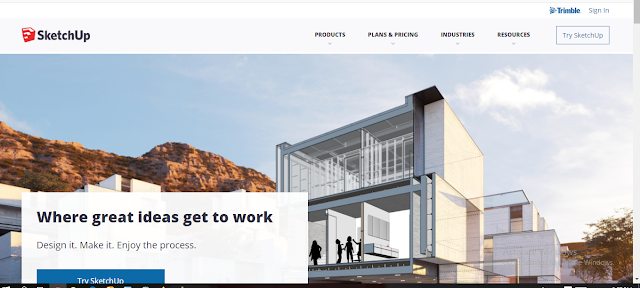
SketchUp is a 3D modeling application known for its accessible interface and practical tools. It is commonly used for architectural concepts, interior design, furniture layouts, landscape planning, construction visualization and conceptual product models.
One of SketchUp's best-known features is its Push/Pull tool. This tool allows users to turn a 2D face into a 3D form by pulling or pushing the surface.
The workflow is easy to understand, making SketchUp a popular option for beginners who want to learn architectural 3D modeling.
SketchUp provides a web-based version that can be used through a browser. Users can create models without installing the desktop application.
The free version has limitations, including restrictions on commercial use, so professionals should review the current licence conditions before using it for paid projects.
Main Features of SketchUp
- Simple tools for creating and editing 3D geometry.
- Push/Pull modeling for quick concept development.
- Useful workflows for architectural and interior design models.
- 3D Warehouse access to a large library of ready-made models.
- Web-based modeling without a traditional desktop installation.
- Tools for presenting and communicating design ideas.
- Cloud-based project storage and model sharing options.
Who Should Use SketchUp?
SketchUp is a practical choice for architecture students, interior designers, furniture planners and people who need to create quick 3D building concepts. It is not a direct replacement for advanced mechanical CAD software when precise parametric engineering design is required.
Best for: Architectural design, interior design, space planning and conceptual 3D modeling.
Official website: Visit SketchUp
Free version information: Read SketchUp Free details
#4. Daz Studio – 3D Character Design and Rendering

Daz Studio is a 3D scene creation and rendering application developed by Daz 3D. It is designed for creating character-based scenes, digital illustrations, poses, environments and rendered images.
It is particularly useful for artists who want to work with ready-made 3D characters and digital assets.
Daz Studio provides tools for positioning characters, adjusting poses, setting up lighting, applying materials and creating scenes. Users can build compositions for illustrations, concept art, storytelling and other visual projects.
The application has supported rendering workflows that include Iray and other rendering options, depending on the version and setup.
Users can also work with compatible 3D content and move assets into other 3D applications when supported by the file format and licence terms.
Main Features of Daz Studio
- 3D character posing and scene creation.
- Tools for lighting, cameras and materials.
- Character and environment asset libraries.
- Rendering options for producing still images.
- Support for compatible 3D content and asset workflows.
- Useful for digital illustration, storytelling and character visualization.
Is Daz Studio Open Source?
Daz Studio may be available to download without a software purchase, but it is not the same as open-source software. Many character models, environments and add-on assets are sold separately. Always check the licence of each asset, especially when creating commercial work.
Best for: Character artists, digital illustrators, visual storytellers and 3D scene creators.
Official website: Visit Daz 3D
#5. Wings 3D – Free Open Source Polygon Modeling Software

Wings 3D is a free and open-source subdivision modeler used for polygon-based 3D modeling. It is named after the Winged Edge Data Structure, which is used to store relationships between vertices, edges and faces in a model.
Wings 3D focuses mainly on creating and editing polygon meshes. It offers modeling tools, a customizable interface, materials, lights and an AutoUV mapping facility.
It can be useful for creating low-poly and medium-complexity models that can later be exported to other applications for rendering or animation.
Unlike a complete animation suite, Wings 3D is focused on modeling. Users who need character rigging, advanced animation, simulation or a full production rendering workflow may prefer to combine it with Blender or another 3D application.
Main Features of Wings 3D
- Free and open-source polygon modeling.
- Subdivision modeling tools for mesh creation.
- Vertex, edge and face editing workflows.
- Customizable user interface and modeling commands.
- Materials and basic lighting support.
- AutoUV mapping for preparing models for texturing.
- Export options for use in compatible 3D applications.
Who Should Use Wings 3D?
Wings 3D is suitable for learners who want to understand polygon modeling without the complexity of a large 3D production suite. It can also be useful for artists who prefer a dedicated mesh modeling workflow.
Best for: Polygon modeling, low-poly assets, mesh editing and 3D modeling practice.
Official website: Visit Wings 3D
Download page: Wings 3D Downloads
#6. K-3D – 3D Modeling and Animation Software

K-3D is a free and open-source 3D modeling and animation application. It combines a plugin-based architecture with a node-based visualization pipeline. This approach allows users to build workflows in which modeling operations and properties can be adjusted and connected.
K-3D supports procedural and parametric workflows. Instead of treating every modeling operation as a completely separate action, users can work with a sequence of connected operations.
This can be helpful when experimenting with model changes and learning how procedural 3D workflows operate.
Main Features of K-3D
- Free and open-source 3D modeling software.
- Procedural and parametric modeling workflows.
- Node-based visualization pipeline.
- Plugin-based architecture for extending functionality.
- Interactive property adjustment and model updates.
- Tools for 3D modeling and animation workflows.
Is K-3D Suitable for Professional Work?
K-3D can be explored for learning, experimentation and selected modeling tasks. However, users should review the project's current development activity, platform compatibility and documentation before choosing it for a production-critical workflow.
For a widely supported all-round free 3D suite, Blender is generally a stronger starting point.
Best for: Users interested in procedural modeling, node-based workflows and open-source 3D applications.
Official website: Visit K-3D
#7. Autodesk Fusion – Professional Mechanical CAD and Product Design

Autodesk Fusion is an integrated cloud-connected product design and manufacturing platform. It combines 3D CAD modeling with tools for engineering design, simulation, electronics and computer-aided manufacturing.
It is commonly used for mechanical components, product development, prototyping and manufacturing workflows.
Fusion is different from general-purpose artistic modeling software. It is designed for engineering and product development, where dimensions, constraints, component relationships and manufacturing requirements matter.
Users can create parametric models, edit sketches, assemble components and prepare designs for production.
Fusion also includes CAM capabilities for preparing manufacturing toolpaths. The availability of specific tools depends on the licence or subscription.
A free Personal Use licence is available for eligible non-commercial personal projects, but it is limited and is not a free commercial licence.
Main Features of Autodesk Fusion
- Parametric 3D CAD modeling for mechanical components.
- Direct modeling and design editing workflows.
- Sketch constraints and dimension-driven design.
- Assembly and component-based product design.
- CAM tools for selected CNC manufacturing workflows.
- Simulation and engineering validation options, depending on licence.
- Electronics design capabilities.
- Cloud-connected project and collaboration workflows.
- Export options for supported CAD and 3D printing file formats.
Can You Use Autodesk Fusion for Free?
Yes, Autodesk offers a Personal Use licence for eligible users working on non-commercial personal design, manufacturing and fabrication projects.
This licence has limitations compared with the paid commercial subscription. Students and educators may qualify for separate educational access.
Best for: Mechanical engineers, product designers, makers, hobbyists, students and prototyping users.
Official website: Visit Autodesk Fusion
Personal Use eligibility: Read Autodesk's Personal Use guidance
#8. BricsCAD Shape – Product Status and 3D CAD Alternatives

BricsCAD Shape was a free 3D conceptual modeling application associated with the BricsCAD product family. It was designed to help architects, students and designers create building concepts and early-stage architectural models.
The application offered a simplified approach to 3D shape creation and included workflows for conceptual architectural design. It was intended to make it easier to develop early design ideas before moving into more detailed CAD or BIM workflows.
Important 2026 Update: BricsCAD Shape Has Been Discontinued
Bricsys has announced that BricsCAD Shape was discontinued with the release of BricsCAD V26 and is no longer available as a new download.
Existing users may still be able to work with Shape in older supported versions, but new users should not rely on it as an actively available free 3D modeling download.
Users who need architectural or engineering 3D design software can explore current alternatives such as Blender for general 3D modeling, SketchUp for architectural concept design, or current BricsCAD products for professional CAD workflows.
Always compare the current licence, features and system requirements before selecting a replacement.
What Was BricsCAD Shape Used For?
- Conceptual architectural 3D modeling.
- Early-stage building and space design.
- Creating and exploring basic 3D forms.
- Developing design concepts for further CAD workflows.
- Visualizing architectural ideas before detailed documentation.
Best alternative for beginners: SketchUp Free or Blender, depending on whether you need architectural concept modeling or general 3D modeling.
Official product status: Read the BricsCAD Shape discontinuation notice
#9. Tinkercad – Free Online 3D Modeling Software for Beginners

Tinkercad is a browser-based collection of design tools from Autodesk. It is widely used by beginners, students, teachers, makers and 3D printing enthusiasts. Users can create simple 3D objects directly in a web browser without installing a traditional desktop CAD application.
Tinkercad uses a straightforward shape-based modeling approach. Users can combine basic geometric objects, resize them, rotate them, align them and group them to create new designs.
This makes it a useful starting point for understanding 3D geometry and basic CAD concepts.
The platform is also used in educational settings because its simple interface makes it easier for learners to experiment with 3D design. Users can prepare basic models for 3D printing and export supported file formats.
Main Features of Tinkercad
- Browser-based 3D design without complex installation.
- Simple shape-based modeling tools.
- Combine, align, group and modify geometric objects.
- Useful for basic product concepts and educational projects.
- Suitable for learning introductory CAD and 3D design.
- 3D printing workflows and supported model exports.
- Additional tools for electronics and coding education.
Who Should Use Tinkercad?
Tinkercad is an excellent starting point for school students, beginners and hobbyists who want to understand how 3D models are created. It is not designed to replace advanced parametric CAD software for complex mechanical engineering or large professional product development projects.
Best for: Beginners, school students, teachers, makers and simple 3D printing projects.
Official website: Start Designing with Tinkercad
#10. Mandelbulb 3D – Free 3D Fractal Modeling and Rendering

Mandelbulb 3D is a specialized application for creating three-dimensional fractal images. Unlike traditional CAD software or polygon modelers, it focuses on mathematical formulas that generate complex and detailed fractal structures.
Users can explore mathematical patterns and create unusual organic-looking forms, abstract structures and detailed fractal artwork.
The software provides controls for lighting, colors, shadows, reflections and other visual effects that help create distinctive rendered images.
Mandelbulb 3D is particularly interesting for digital artists who enjoy mathematical art, procedural visual design and experimental 3D imagery.
It is not a general-purpose mechanical CAD package and should not be selected for engineering drawings or manufacturing models.
Main Features of Mandelbulb 3D
- 3D fractal image generation using mathematical formulas.
- Tools for exploring complex fractal structures.
- Lighting and color controls for rendered images.
- Visual effects such as shadows, glow and depth-of-field options.
- Creative workflows for abstract and mathematical 3D artwork.
- Useful for experimental digital art and fractal visualization.
Who Should Use Mandelbulb 3D?
Mandelbulb 3D is suitable for artists and hobbyists who want to create mathematical fractal artwork. Users looking for mechanical design, architectural CAD, animation or 3D printing tools should choose a different application.
Best for: Fractal artists, mathematical visualization and abstract 3D image creation.
Website: Visit Mandelbulb 3D
Free 3D Modeling Software Comparison Table – 2026
Before downloading any 3D design application, compare its main purpose, licence type and ideal use case. The table below gives a quick overview of the software covered in this guide.
| Software | Licence / Availability | Main Purpose | Best For |
|---|---|---|---|
| ZBrush | Paid commercial software | Digital sculpting | Professional character artists |
| Blender | Free and open source | Modeling, animation and rendering | 3D artists and game developers |
| SketchUp | Free web option; paid plans | Architectural 3D modeling | Architects and interior designers |
| Daz Studio | Free application; paid assets available | Character scenes and rendering | Digital artists |
| Wings 3D | Free and open source | Polygon modeling | Mesh modelers and learners |
| K-3D | Free and open source | Procedural modeling and animation | Experimental 3D workflows |
| Autodesk Fusion | Paid; eligible Personal Use option | Mechanical CAD and product design | Engineers and makers |
| BricsCAD Shape | Discontinued for new downloads | Architectural concept modeling | Existing users of older versions |
| Tinkercad | Free online tool | Basic 3D design | Beginners and students |
| Mandelbulb 3D | Free specialized application | 3D fractal imaging | Fractal artists |
How to Choose the Best 3D Modeling Software for Your Work
1. For Beginners and Students
If you are new to 3D modeling, start with Tinkercad or Blender. Tinkercad is easier for learning basic shapes and simple 3D design. Blender provides a much wider set of tools, but it requires more time and practice.
2. For Mechanical Engineering and Product Design
For dimension-driven mechanical parts, assemblies and product development, consider Autodesk Fusion. It provides CAD and manufacturing workflows that are more suitable for engineering design than general artistic modeling applications.
3. For Architecture and Interior Design
SketchUp is a useful choice for architectural concepts, room layouts and interior visualization. Blender can also be used for architectural visualization, especially when advanced materials, lighting and rendering are required.
4. For 3D Animation and Game Development
Blender is a strong free option for modeling, rigging, animation, rendering and creating game assets. It is particularly useful for independent creators and small studios.
5. For Character Sculpting
ZBrush is a professional digital sculpting tool. Blender also offers sculpting features and can be a suitable free starting point for learners and independent artists.
6. For 3D Printing
Tinkercad is useful for simple models, while Blender and Autodesk Fusion can support more advanced workflows. Always check model dimensions, wall thickness, mesh integrity and export settings before sending a model to a 3D printer.
Important Factors Before Downloading 3D Software
System Requirements
3D modeling applications can require significant computer resources, particularly when working with detailed models, large scenes, simulations or high-resolution rendering. Before installing software, check its official system requirements for operating system compatibility, processor, RAM, graphics card and storage.
Licence and Commercial Use
Do not assume that every free download can be used for paid client projects. Some free versions are limited to personal or educational use. Open-source licences also have their own conditions. Review the official terms before using software or digital assets commercially.
File Format Compatibility
Check whether the application supports the file formats required by your workflow. Common 3D formats include STL, OBJ, FBX, STEP, IGES, 3MF and native project formats. CAD users should pay special attention to whether a format preserves editable geometry, assembly information and design history.
Learning Resources and Technical Support
Beginners should choose software with clear tutorials, documentation and an active user community. A powerful application may not be the best choice if you cannot find learning resources or support for your specific work.
Official 3D Software Download and Website Links
Use the official websites below to find software downloads, product information, licence terms and documentation. Avoid unofficial download websites that may distribute modified installers or unwanted software.
Note: Product availability, downloads, licence conditions and supported operating systems can change. Always verify the latest details on the official website.
Frequently Asked Questions About Free 3D Modeling Software
1. What is the best free 3D modeling software in 2026?
Blender is one of the best all-round free and open-source 3D modeling applications. It supports modeling, sculpting, animation, rendering, simulation and visual effects. The best choice still depends on whether you need artistic modeling, mechanical CAD, architecture or 3D printing.
2. Which 3D modeling software is completely free and open source?
Blender and Wings 3D are examples of free and open-source 3D software. K-3D is also an open-source project. Always check each project's current licence and release information before using it in a commercial workflow.
3. Is ZBrush free to use?
ZBrush is a commercial digital sculpting application. It is not open-source software. Check the official Maxon website for current subscription options and any available trial or introductory offerings. Blender is an alternative for users who want free sculpting tools.
4. What is the best free software for 3D animation?
Blender is a leading free option for 3D animation. It includes modeling, rigging, keyframe animation, simulation, rendering and compositing tools in one application.
5. Which software is best for 3D printing?
Tinkercad is suitable for simple beginner-level 3D printing models. Blender can be used for artistic and organic models, while Autodesk Fusion is useful for dimension-driven mechanical parts. Choose according to the complexity and accuracy required.
6. Can I use Autodesk Fusion for free?
Autodesk offers a Personal Use licence for eligible non-commercial personal design and home-based manufacturing projects. It has limitations compared with paid commercial subscriptions. Students and educators may qualify for separate educational access.
7. Is SketchUp Free suitable for commercial projects?
SketchUp Free has usage restrictions and is not intended for commercial use under its current free-plan terms. Professionals should review the latest SketchUp licence and subscription options before using it for paid client work.
8. What is the best 3D modeling software for architecture?
SketchUp is a popular choice for architectural concepts and interior design. Blender can also be used for detailed architectural visualization and rendering. For professional BIM or construction documentation, compare dedicated BIM and CAD products.
9. Is BricsCAD Shape still available in 2026?
BricsCAD Shape has been discontinued with the release of BricsCAD V26 and is no longer available as a new download. Users can explore current alternatives such as SketchUp, Blender or current BricsCAD products.
10. What is the difference between free software and open-source software?
Free software may be available without a purchase price, but its source code may not be available for modification. Open-source software provides source code under a licence that permits certain rights to study, modify and redistribute it. Free and open source are related concepts, but they are not identical.
11. Which 3D software is easiest for beginners?
Tinkercad is one of the easiest tools for learning basic 3D design because it uses simple shapes and browser-based controls. SketchUp is another approachable option for architectural concepts. Blender offers more advanced capabilities but has a steeper learning curve.
12. Can I get a job after learning 3D modeling software?
Learning 3D software can support career paths in product visualization, CAD design, mechanical drafting, architecture, animation, game asset creation and 3D printing. Job opportunities depend on practical skills, portfolio quality, industry knowledge and the requirements of employers.
Final Conclusion: Which 3D Modeling Software Should You Choose?
Choosing the best 3D modeling software depends on your work, experience level, budget and the type of models you want to create. There is no single application that is perfect for every user.
A tool designed for character sculpting may not be suitable for mechanical engineering, while a CAD platform may not provide the same animation features as a dedicated 3D creation suite.
If you want a powerful all-in-one free 3D creation tool, Blender is an excellent starting point. It supports modeling, sculpting, animation, rendering and visual effects. For beginners who want to learn simple 3D design online, Tinkercad is easy to use.
For architecture and interior design concepts, SketchUp is a practical option. For mechanical engineering and product development, Autodesk Fusion offers CAD and manufacturing workflows, with a limited Personal Use option for eligible non-commercial projects.
For professional digital sculpting, ZBrush remains a specialist commercial tool. Wings 3D is worth exploring for open-source polygon modeling, while Daz Studio is useful for character-based scenes and rendering. K-3D and Mandelbulb 3D serve more specialized creative workflows.
Remember to verify the current licence, supported operating system, system requirements and commercial-use permissions before downloading any application.
Start with one tool, practice regularly and build a portfolio of real projects. Practical experience is more valuable than simply installing many different software programs.
Which 3D modeling software do you use? Share your experience in the comments and let other CAD and 3D design learners know which tool works best for your projects.
📚 More CAD, 3D Modeling and Software Guides
Explore more software tutorials, CAD guides, engineering resources and technology articles on Cad Solution Soft.
Website: www.cadsolutionsoft.com
Disclaimer: This article is for educational and informational purposes. Product names and trademarks belong to their respective owners. Features, pricing, licence terms and download availability may change. Always consult the official vendor website before installing software or using it for commercial work.